
Managing a week’s worth of social posts — captions, cover images, short-form graphics, carousel visuals — used to mean juggling multiple tools, burning hours on revisions, and still ending up with content that felt stitched together. That changed the moment Banana Pro AI entered the workflow. This is a real breakdown of how one creator planned, produced, and published seven days of visual content without touching a single stock photo site or hiring a designer.
I. What Banana Pro AI Actually Does
Before getting into the day-by-day workflow, it helps to understand what makes this tool different from throwing prompts into a generic image generator.
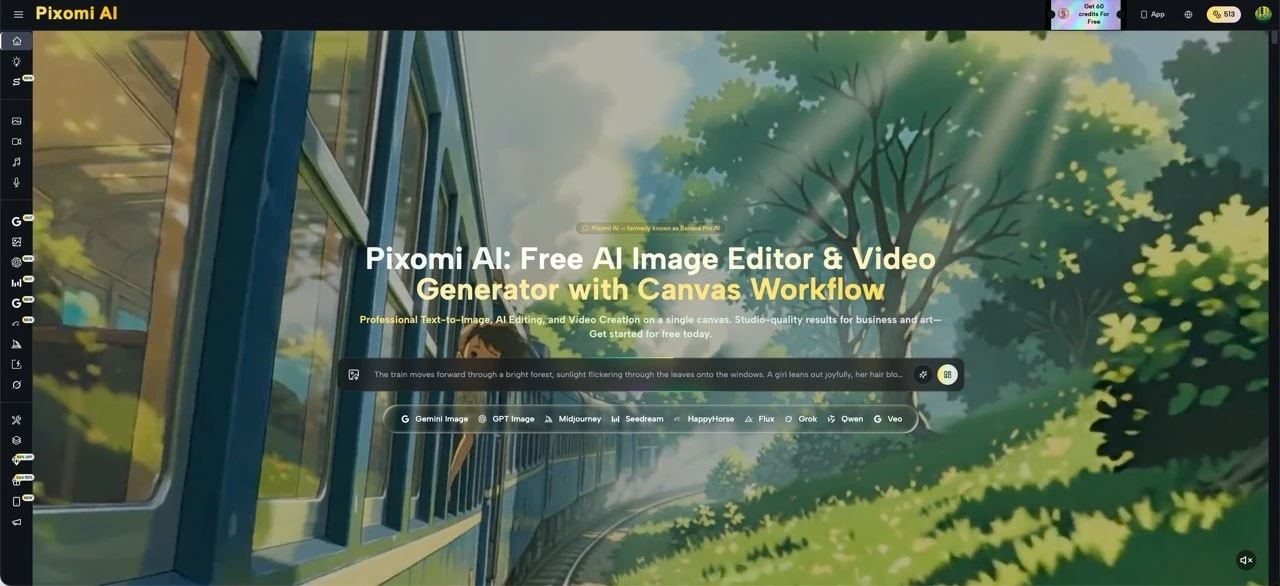
Banana Pro AI is a full creative suite — not just a text-to-image generator. It combines an AI Image Generator, an AI Image Editor, an AI Video Generator, and a Canvas Workflow, all on a single interface. For content creators managing a social media schedule, this matters because it means the entire production chain — from rough concept to finished visual — lives in one place.
The Canvas Workflow is the standout feature for batch content work. It’s a visual, node-based studio where individual AI tasks (generate image → edit image → animate into video) can be chained together and saved as a reusable pipeline. Instead of repeating the same steps manually every Monday morning, the workflow runs the process again with one click.
The two core creation modes are Text to Image (describe what you want, get an image) and Image to Image (upload a reference or existing asset, transform it). For a week-long content push, these two modes handle almost everything.
II. Day 1–2: Building the Visual Identity for the Week
Every content week needs a visual anchor — a consistent color palette, a mood, a style that ties all seven days together. Without that, posts look like they came from five different accounts.
- Setting Up a Style Reference
On day one, a single reference image was uploaded into Banana Pro AI’s Image to Image tool. Using the style transfer feature, the AI extracted the visual language from that image — the lighting temperature, the contrast level, the compositional looseness — and applied it to a fresh prompt. The result was a style template that could be reused across every other piece of content that week.
- Generating the Week’s Hero Images
With the style locked, Text to Image handled the heavy lifting. Seven prompts — one per day’s theme — were fed into the generator. Banana Pro AI processed each image in roughly 8–12 seconds and produced multiple variations per prompt, which is useful for comparing options without re-running a generation from scratch.
The batch generation feature meant all seven hero images were done in under 20 minutes. At this point, the visual backbone of the entire week existed.
III. Day 3–4: Creating Carousel Posts and Branded Graphics
Carousel posts perform well on most feeds, but they’re also the most time-consuming format to produce — multiple slides, consistent layout, text overlay, brand color. This is where most manual workflows fall apart.
- Producing Multi-Slide Visuals
Each carousel needed three to five images that felt visually related but showed different angles of the same idea. Using Image to Image, the hero image from each day was fed back into the generator with slightly different prompts — shifting the composition, swapping foreground elements, adjusting the scene depth. The AI preserved the visual DNA from the original while giving each slide enough variation to stay interesting.
- Adapting Formats Across Platforms
Different platforms have different aspect ratio expectations. Banana Pro AI’s output settings allow format selection before generation, so square crops for Instagram, vertical formats for Stories, and landscape outputs for cover images were all handled directly inside the tool — no cropping in external editors. The Smart Asset Library automatically saved and organized every version, so nothing got lost in a downloads folder.
IV. Day 5: Short-Form Video From Static Images
By midweek, the content mix needed motion. Short video clips — even simple animated visuals — consistently outperform static images in reach and saves on most feeds. Producing them used to require separate software, exports, and re-imports. Not here.
- Image to Video in the Canvas Workflow
Using Canvas Workflow, the hero images generated earlier in the week were connected to an AI Video Generator node. The pipeline took each static image and produced a short animated clip — subtle camera motion, light depth effects — without requiring any manual keyframing or editing. Banana Pro AI supports multiple video models including Kling 2.5 and Seedance, with selection based on the clip’s intended mood and pacing.
- Comparing Outputs Side by Side
The Canvas Workflow allowed two different video model outputs to sit next to each other on the infinite canvas for direct comparison. The better-performing clip was selected, downloaded in high resolution, and slotted directly into the schedule. The whole process for five clips took about 45 minutes.
V. Day 6: Editing and Polishing Existing Assets
Not every piece of content needs to be generated from scratch. Some posts work better when they use a photo from a previous shoot or a product image, just reworked for a new context.
- Background Replacement and Style Refresh
Several older product photos were run through Banana Pro AI’s AI Image Editor using natural-language instructions — “replace the background with a clean gradient,” “shift the lighting to feel warmer,” “add a soft-focus foreground element.” The editor interpreted these instructions without needing manual selection tools or layer management.
- Brand Consistency Without Redundancy
The Image to Image tool kept the edited assets visually consistent with the week’s established style. Even photos that were originally shot in different conditions ended up looking like they belonged to the same content set. That level of visual cohesion is difficult to achieve manually when mixing older and newer assets.
VI. Day 7: Final Touches and Scheduling Prep
The last day was about quality control, final exports, and preparing the caption-image pairings for scheduling.
- High-Resolution Export for Every Format
All finalized images were downloaded in high resolution — up to 4K — directly from Banana Pro AI. Every asset came with full commercial usage rights included, no additional licensing step required. This matters particularly for any content that gets repurposed into paid promotion later.
- Reviewing the Full Week in the Asset Library
Banana Pro AI’s Smart Asset Library allowed a final review of all generated content in one place — version history, prompt records, and download access all available without digging through folders. The entire week’s visual output was accounted for, organized, and ready to hand off to a scheduling tool.
Conclusion: This Isn‘t Just Saving Time
What a week-long workflow like this reveals is something more significant than efficiency. When the friction of production drops this dramatically, the relationship with content itself shifts. Attention moves away from the mechanical labor of resizing, sourcing, and fixing — and toward the ideas themselves. What story does Monday’s post actually tell? Does the carousel move the audience somewhere?
Banana Pro AI makes that mental space available by removing the production bottleneck entirely. For any content creator still spending their week fighting tools instead of building ideas, the case for changing the workflow is difficult to argue against. The assets above were all created on the free tier — getting started costs nothing, and what it returns in reclaimed creative focus is worth far more.