
Students can make a striking picture in seconds and still learn very little about how the result happened. A classroom Image to Image activity becomes useful when learners must explain one visible change, keep the source fixed, and show evidence for why an output passed or failed.
The attraction of image generation is immediate. A prompt turns a familiar photograph into a painting, poster, or fictional scene. The learning goal needs more discipline. If every student changes the source, prompt, model, and resolution at once, the class cannot connect a result to a decision. The exercise becomes a gallery of surprises instead of an investigation.
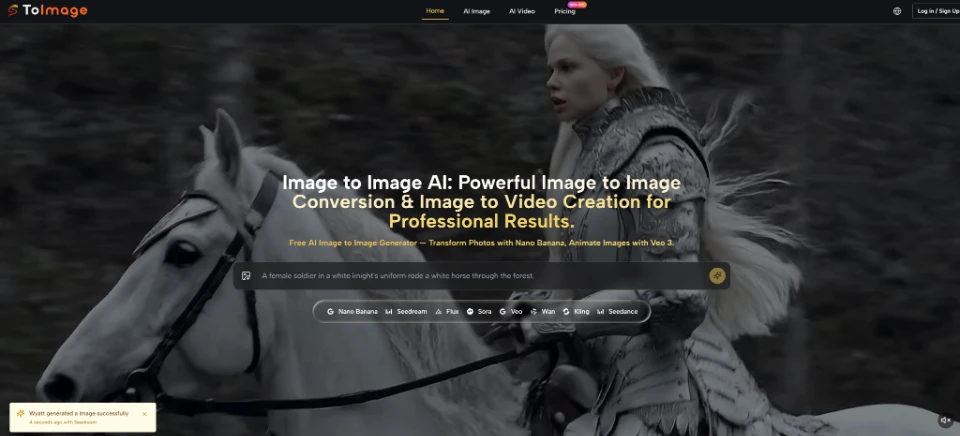
ToImage AI provides both text-to-image and image-to-image modes. In text-to-image, the learner describes a picture and the model creates it from scratch. In image-to-image, the learner uploads a source, describes a transformation, chooses a model, and generates a new version. That difference gives a teacher a clean way to discuss evidence: the source image creates something concrete to compare.
Set One Learning Question Before Opening the Tool
A good activity begins with a question that the class can answer by looking. For example: “How does a prompt change the mood while keeping the subject recognizable?” This question allows many creative choices but protects one fixed requirement. Students can vary lighting words or artistic style, yet the main person, object, or scene must remain identifiable.
A weaker question asks students to “make the best AI image.” Best has no shared meaning. One learner chooses realism, another chooses color, and a third chooses humor. Their results cannot support a common discussion. A visible acceptance rule gives the class a reason to compare decisions rather than personalities.
The teacher should also select a source the class has permission to use. A simple classroom object, a student-made sketch, or a teacher-created scene works better than a private family photograph. Remove names, school badges, location details, and faces unless the lesson specifically requires them and the school has suitable consent. Image literacy includes deciding what should never be uploaded.
- Use one source that the class has permission to transform.
- Write one visible change and one protected detail.
- Choose a pass rule every group can apply.
Prepare the Source and Keep Acceptance Rules Fixed
Every learner starts with the same source image and the same pass rule. One side of an observation sheet records the instruction. The other records what changed and what stayed stable. Students should describe visible evidence, such as “the blue cup remained centered, but the shadow moved to the right,” instead of writing “it looks better.”
This structure reduces wasted class time. When a result fails, the student can point to the broken rule and revise one phrase. Without the sheet, learners tend to restart with a completely different idea. They produce more files but cannot trace how the prompt influenced the picture.
Step 1: Change One Prompt Variable
Ask students to choose one variable: lighting, artistic medium, background, or season. They write one short instruction that names the change and repeats the protected element. A prompt might say, “Turn the room into a watercolor scene while keeping the blue cup in the center with the same shape.”
The learner then uploads the source, enters the instruction, selects one model, and generates. ToImage AI describes this sequence directly. Students should not switch models during the first round because that adds another variable. They save the output beside the original and fill both sides of the observation sheet before generating again.
Reviewing before another attempt creates a cost signal the class can understand. Each generation requires attention, not just a click. If the cup changes shape, the student records that failure. If the mood changes while the cup remains recognizable, the student records the evidence. The file earns a place in the discussion because the learner can explain it.
Changing the source and prompt together creates rework because the group cannot tell which decision produced the difference. An unreadable label or an invented handle gives the class a concrete rejection reason. The group returns to the last clear instruction instead of discarding the entire activity and starting with a new picture.
Compare Models Only After the Prompt Is Stable
The second round can explore model choice. ToImage AI brings several image models into one workspace and supports comparing outputs. The teacher keeps the source, prompt, and acceptance rule unchanged, then lets groups use different model routes. Now model choice is the main variable, so differences have a clearer cause.
Students do not need to rank one model as universally superior. They can identify which output preserved the protected object, followed the requested medium, and produced details they could justify. One model may keep the source shape while another creates a more dramatic style. The lesson concerns tradeoffs and evidence, not brand loyalty.
At this point, Image to Image AI supports a useful discussion about resolution and batches. Nano Banana 2 is presented with 1K, 2K, and 4K choices and up to four images per request. More outputs give students more examples to inspect, but they also increase review work. A group should request only as many candidates as it can compare carefully during the class period.
Step 2: Defend One Accepted Output
Each group chooses one output and gives a short defense using the shared rule. The defense must name two preserved details and one meaningful change. A student might say, “We kept the cup shape and center position, while the watercolor instruction softened the room and shadow.” That sentence shows observation, causal reasoning, and a limit on the claim.
The group also presents one rejected output. It names the failure without mocking the image: “The handle disappeared, so the object did not pass our identity rule.” Rejection matters because it shows that a polished result can miss the assignment. Students learn to separate aesthetic preference from compliance with a brief.
The rejected file stays beside the accepted one only long enough to support the explanation. Students do not need a folder full of discarded images. They need one comparison that shows how a changed phrase affected a visible detail and why the shared rule ended the debate.
Teachers can finish the comparison by asking what evidence would change the group’s decision. If the task were a small web thumbnail, 1K might be enough for observation. If the class needed a large print, a higher resolution could become relevant. The answer should follow the use case rather than the assumption that the largest setting is automatically best.
End With an Explanation, Not a Picture Contest
ToImage AI gives students quick access to transformations and model choices, but the teacher supplies the intellectual structure. One source, one variable, one acceptance rule, and one written observation turn generation into a testable classroom activity. The strongest result is not necessarily the most dramatic image. It is the image a student can explain without guessing.
Collect the observation sheets with the selected and rejected outputs. They reveal whether learners understood prompt control, evidence, and responsible source selection. A classroom gallery can still be fun, but each picture should arrive with a reason. When students can say what changed, what remained stable, and why that mattered, the activity teaches more than how to press Generate.