
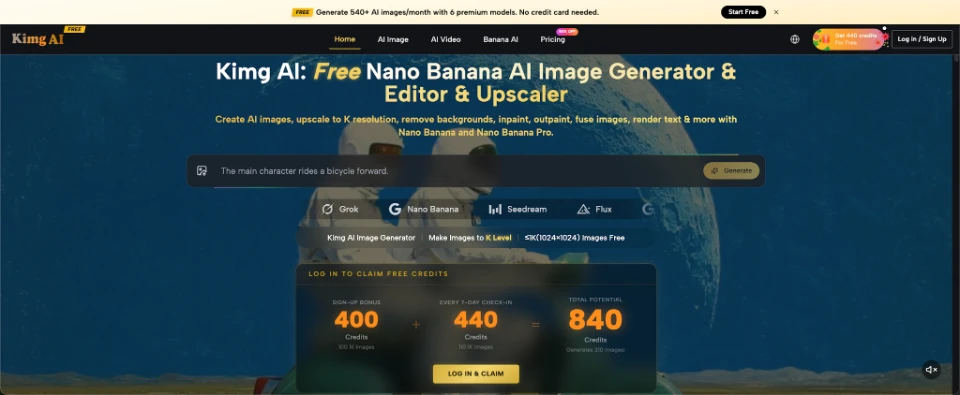
Students often hear that one AI model is “better” than another, but that claim is difficult to learn from unless the test is fair. If every model receives a different prompt, image, or task, students are comparing outcomes without controlling the experiment. A classroom activity can turn that confusion into a practical lesson about variables, evidence, and evaluation. Kimg AI provides access to multiple image models, which makes it possible to compare outputs in one broader learning context without turning the exercise into a popularity contest.
Frame the Lesson as an Experiment, Not a Ranking
The goal should not be to crown a permanent winner. Models change, tasks differ, and a system that performs well on one prompt may struggle on another. Instead, ask a narrower question: how do different image models interpret the same instruction?
Choose a neutral classroom-safe task such as “a reading corner in a school library during a rainy afternoon” or “a reusable water bottle on a desk beside a notebook and pencil.” Avoid prompts involving real classmates, sensitive traits, or recognizable public figures. Students should see that the experiment is about output behavior, not about generating people they know. The teacher can explain that a fair comparison keeps the input as stable as possible and records differences before forming conclusions.
Write One Prompt That Is Specific Enough to Compare
A vague prompt such as “make a nice library” creates too much freedom. One model may show a huge public library, another a classroom shelf, and a third a fantasy room. The class ends up comparing different interpretations of an underspecified request.
A better prompt defines subject, setting, light, and composition without becoming a paragraph of decorative language. For example: “A small school library reading corner with two wooden chairs, one round table, tall bookshelves, a window showing light rain, soft afternoon light, realistic photography, no people.” Students copy the same prompt exactly into each selected model. They should not “improve” it between runs, because even a small wording change would create another variable.
Control Three Variables Before You Compare Outputs
A fair image test becomes much easier when students know what must remain stable. The class can build a short checklist before generating anything.
Keep the Prompt Identical
Copy and paste the same wording into each model. Preserve punctuation, object counts, and negative instructions. If one result fails to show two chairs, do not immediately rewrite the prompt for only that model. Record the failure first. The aim is to observe how each system responds to the same request, not to optimize every output independently. Students can paste the prompt into a shared worksheet so accidental wording changes are easy to spot.
Keep the Output Shape Consistent
If the tools allow it, use the same aspect ratio for all results. A wide scene and a square scene naturally encourage different compositions, so comparing them adds another factor. If identical settings are not available, note the difference openly in the worksheet. Students should learn that a limitation in the test design affects how confidently they can interpret the result. Recording that limitation is part of doing the experiment honestly, not a sign that the activity failed.
Use the Same Evaluation Questions
Decide what the class will inspect before seeing the images. Did the output include the requested objects? Did it preserve the requested count? Does the rain appear outside the window rather than inside the room? Is the scene realistic rather than illustrated? Did the model add people despite the instruction? A fixed rubric stops students from inventing new criteria simply because they like one image more. It also makes group discussion easier because everyone is using the same vocabulary for success and failure.
Use a Simple Evidence Table Instead of “I Like This One”
Students can record observations in a table with one row per model and columns for instruction accuracy, unexpected additions, composition, and one detail requiring closer inspection. The language should stay descriptive. “Model B put the table in front of the window” is evidence. “Model B is bad” is a conclusion that needs support.
A teacher can also ask students to mark each prompt requirement as present, partly present, or missing. That turns the output into data they can discuss. If several students run the same experiment, compare their notes rather than assuming everyone received identical images. Generative systems can produce different outputs across runs, so variation itself becomes part of the lesson.
Use One Model for a Controlled Revision Round
After the fair comparison is complete, choose one result for a second experiment. With Nano Banana AI, students can work from a prompt or reference image and explore a targeted change. Now the rules change: the class is no longer comparing models; it is testing whether a clearer instruction improves one specific problem.
Suppose the first result added three chairs instead of two. Students can use the image as a reference and ask to preserve the room, table, window, lighting, and camera angle while showing exactly two wooden chairs. Record whether the correction works and whether anything else changes unexpectedly. This teaches an important distinction between generation and revision. A good correction is not only the one that fixes the requested detail; it should also avoid breaking details that were already correct.

Discuss Why “Best” Depends on the Task
After the experiment, the class may find that one model followed object counts more closely, another created more natural light, and another produced the most balanced composition. That is a better learning outcome than a single winner. It shows that quality has several dimensions.
Ask students how the evaluation would change for a poster, a scientific diagram, a story illustration, or an edited photograph. The criteria would not stay identical. A story illustration may value style and mood, while a classroom diagram may require labels and relationships to be exact. Students begin to understand that tool choice should follow the task and that a beautiful image can still fail an instruction.
Add a Reflection on Uncertainty and Repeatability. Generative tools are not deterministic classroom calculators. Running the same prompt again may produce another composition. Students should therefore avoid claims such as “Model A always does this” based on one sample. A short reflection can ask: what did this experiment show, what did it not show, and what would you test next?
A stronger follow-up might repeat the prompt three times per model and look for recurring patterns. Another class could test a different neutral scene using the same rubric. The goal is not to turn school students into benchmark engineers. It is to build a habit of making claims that match the evidence they actually collected. Teachers can extend the activity by asking groups to compare notes rather than images first. If two groups describe the same recurring error independently, that is stronger evidence than one student simply preferring a particular style. Students can also record what they would need to test before making a broader claim, which reinforces the difference between observation and generalization.
Conclusion
A fair AI image comparison is a simple way to teach experimental thinking. Keep the prompt and settings stable, decide evaluation questions before seeing the outputs, record observations in descriptive language, and avoid turning one run into a universal ranking. A second controlled revision can then show how targeted instructions change an existing result. The most useful lesson is not which model produced the prettiest picture. It is that meaningful comparison requires controlled variables and evidence. Try one neutral prompt with a clear rubric and let students explain what the outputs actually demonstrate.